# Receive
### Prerequisites
Before you read this tutorial for knowing how **Analyze Address** work on Fradium, you need to create an account first.
For users who haven’t created an account yet, please follow the steps in the **Create Account** section first before proceeding with the **Analyze Address** tutorial.
{% content-ref url="create-account" %}
[create-account](https://fradium.gitbook.io/docs/using-fradium/fradium-wallets/tutorial/create-account)
{% endcontent-ref %}
### Overview
Fradium Wallet has a feature called **Receive**, which is useful for identifying your wallet address for each supported coin. This feature allows you to send or receive funds safely from external sources.
This use case is very helpful and works in alignment with the **Transaction** feature, which requires a coin address to identify either the destination address or your own. Without the **Receive** feature, users wouldn’t know how to transfer funds to their own wallet or to a recipient’s address.
### Getting Started
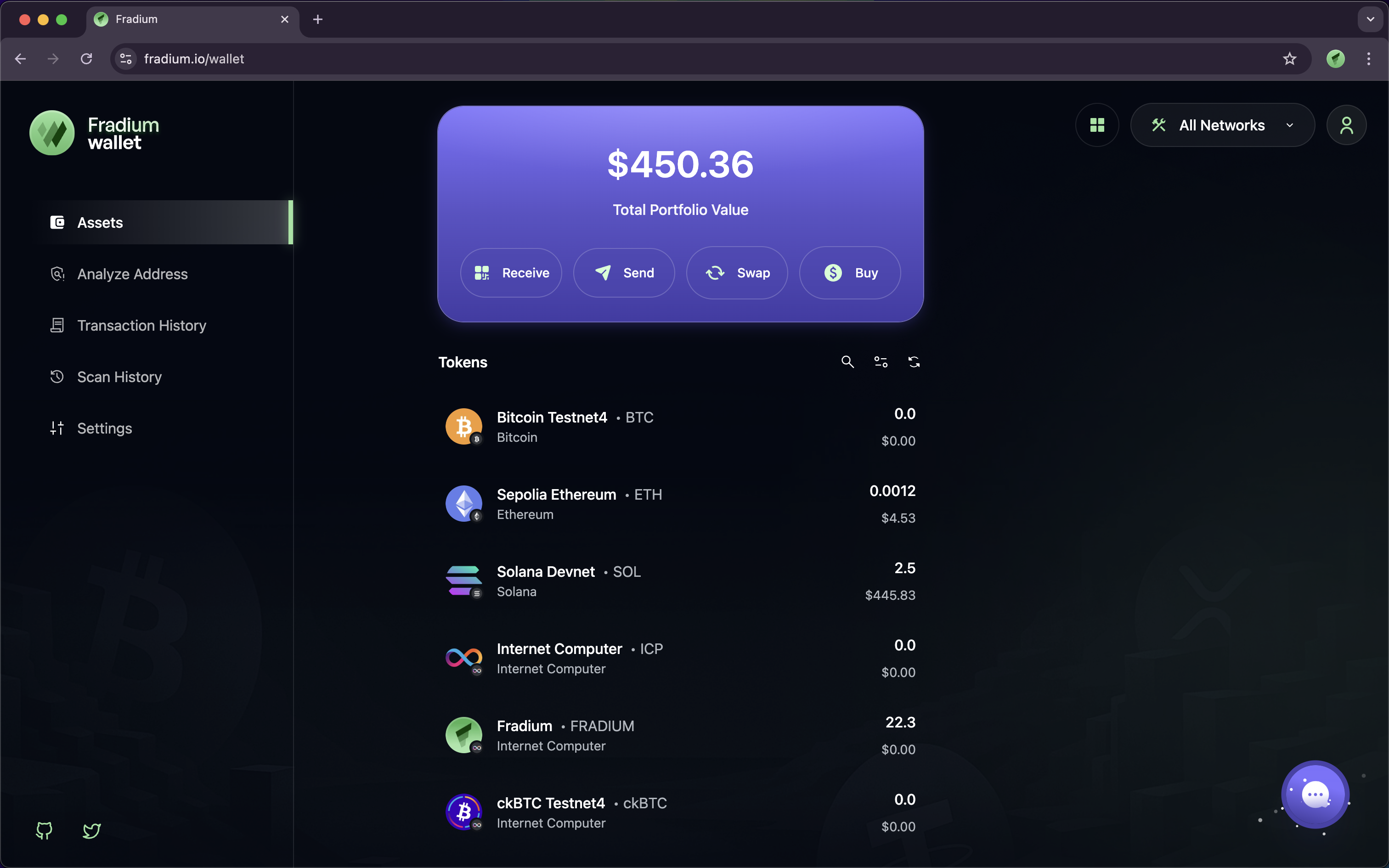
You'll see the Receive button with QR Code icon in your portofolio inside purple card, then click that button to show our address in each coins.
#### Explanation
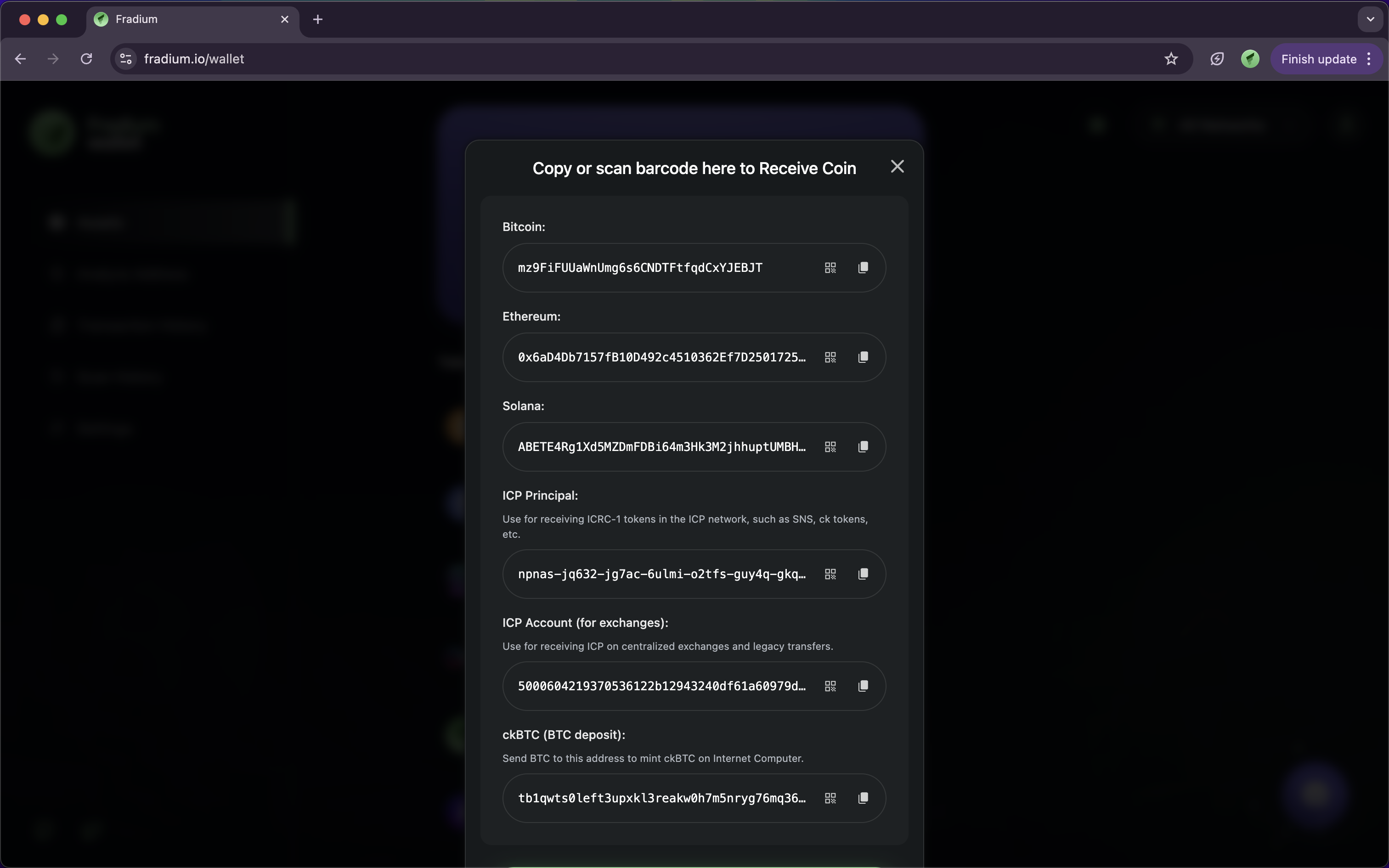
On the **Receive** page, each blockchain network such as **Bitcoin, Ethereum, Solana, ICP**, and **ckBTC** has a **unique address** used to receive assets.
To copy an address from any network, follow these steps:
1. Find the **coin or network** you want to use (for example: Bitcoin, Ethereum, or Solana).
2. Click the **📋 (copy)** icon next to the wallet address.
3. Once clicked, the address will automatically be copied to your device’s clipboard.
4. You can then paste it into another app — for example, in the “recipient address” field when receiving funds from another wallet or exchange.
> 💡 **Tip:** Always make sure you copy the correct address for the corresponding network to avoid failed transactions or lost assets.